

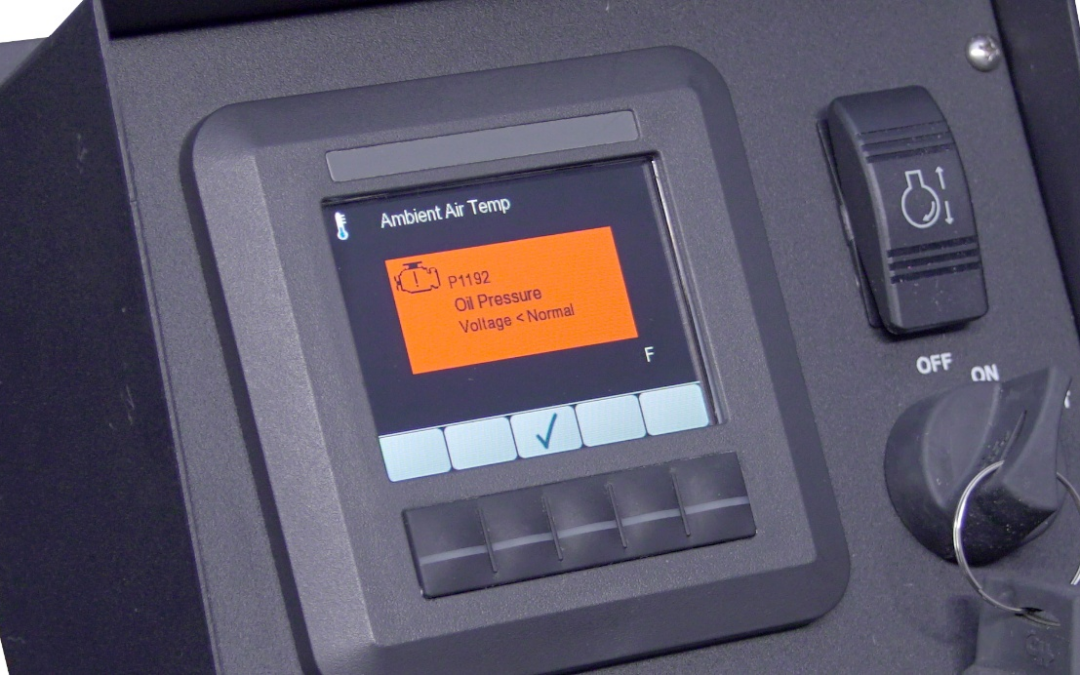
When an MBW diesel engine display or control panel shows a fault, alarm, or shutdown message, it is identifying a condition that needs attention. In many cases, the message is based on diagnostic information being sent by the engine ECU over the CAN bus. In other cases, the message may be related to a configured MBW controller feature. Some MBW controllers include additional functions such as an external shutdown input or user-defined alarms.
Engine Diagnostic Messages from the ECU
MBW displays used with electronically controlled diesel engines communicate with the engine ECU over the CAN bus (Controller Area Network) using the J1939 protocol. This allows the display to receive engine data, diagnostic trouble codes, and operating status information.
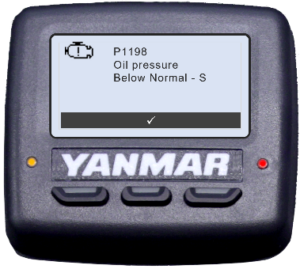
When the engine ECU detects a condition outside its expected range, it may transmit a diagnostic trouble code (DTC) or another diagnostic message. The MBW display will then show that information to the operator in a readable form.
MBW Controller Alarms and Shutdown Messages
Some messages shown on an MBW display may come from controller features configured for the application. These are not necessarily engine ECU faults, but they are still important operating messages.
For example, some MBW controllers can be configured with an external shutdown input. This may be used with customer-supplied safety devices or machine-protection circuits, such as pressure switches, temperature switches, emergency stop circuits, or other shutdown devices.
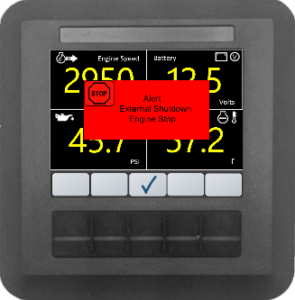
Some MBW controllers also support user-defined alarms. Depending on the application, these alarms can be configured to respond to selected conditions, including active DTCs received from the engine ECU. In some cases, the configured response may warn the operator, log an event, or shut down the engine.

Why the Source of the Message Matters
A fault or alarm message shown on the display does not always point to the same type of issue. Some messages are engine-related, while others may be application-related or tied to wiring, configuration, or controller setup.
MBW displays present these message types differently to help identify where the information is coming from. Engine diagnostic trouble codes typically appear as alarm popups and may include manufacturer P-codes and/or SPN and FMI numbers. External shutdowns and user-defined alarms are displayed more directly, identifying them as external shutdown or user-defined alarm messages.
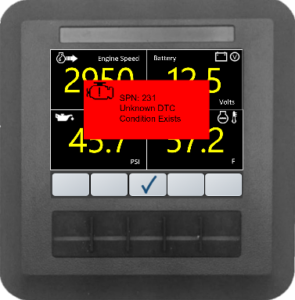
This distinction helps guide the next troubleshooting step. An engine diagnostic code may point to engine manufacturer service information, while an external shutdown or user-defined alarm may require reviewing the connected device, wiring, or controller configuration.
What to Check First
When a message appears on an MBW display, record the exact wording shown on the screen. If available, note the SPN, FMI, P-code, alarm name, or shutdown message. This information is especially helpful.
Also note whether the fault is active or stored, what the engine was doing when the message appeared, and whether any recent wiring, configuration, or equipment changes were made.
For engine diagnostic messages, review the engine manufacturer’s fault code information. For external shutdown or user-defined alarm messages, review the connected input device, wiring, and controller configuration.
When MBW Can Help
In many cases, a fault shown on an MBW display is reporting information from the engine ECU and should be reviewed using the engine manufacturer’s diagnostic information. This is especially true when the message includes an SPN, FMI, or P-code.
If the source of the message is unclear, MBW can help review what the display is showing and determine whether the issue appears to be engine-related, wiring-related, communication-related, or connected to the controller configuration.
When contacting MBW, it is helpful to provide the engine manufacturer and model, MBW controller or display model, the exact message shown on the screen, and a brief description of what the equipment was doing when the message appeared.
Conclusion
A fault, alarm, or shutdown message on an MBW display is an important troubleshooting clue. The message may come from the engine ECU, a connected safety device, a configured controller alarm, or another part of the control system.
Identifying the source of the message helps determine the next step. If the source is unclear, MBW Technologies can help review what the display is showing and help point troubleshooting in the right direction.